How Structured Prompts in Devin Transform Both Code Generation and Review
This whole setup is, honestly, a bit of a meandering exercise in workflow design. I didn’t set out to build a coherent system; I just kept trying to solve the next most annoying friction point. What I’ve realized in hindsight is that the common thread running through it all is structure—specifically, how a single, well-designed prompt in Devin can encode an entire workflow, not just a one-off command.
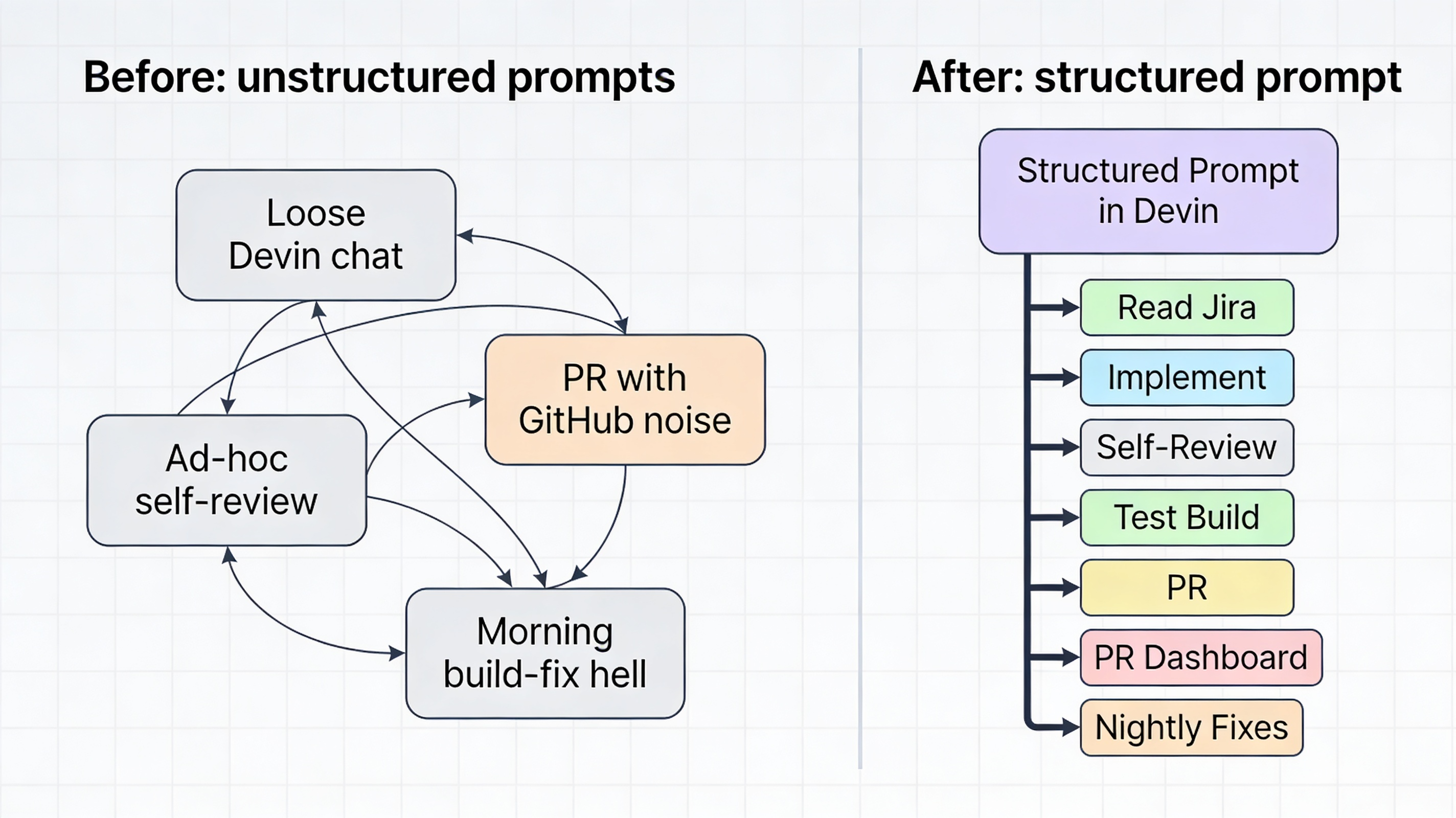
The PR-review pattern that started it all
Everything began with PR review. GitHub’s automated comments, plus human reviewers, create a constant stream of noise. When I’m juggling a dozen tickets, it’s easy to miss steps, forget decisions, or accidentally ship something that looks fine locally but breaks elsewhere.
All the PRs I push to GitHub start as drafts. I haven’t seen the code yet, and GitHub’s automated reviews are already piling up comments before I even open the PR. If I tried to deal with them during the day, they’d constantly pull me out of deep work, context switching between tickets, bots, and human reviewers. Instead, I’ve moved the entire review loop into the evening with a simple rule: I don’t engage live comments during the day.
During the day, I either work on new tickets or, when I’m ready, open an on-demand PR dashboard that shows all comments (GitHub and human) grouped by Jira ticket. For each comment, an AI gives me a quick analysis—valid concern, context issue, or noise—and suggests whether to respond, ignore, or fix. I triage everything using an FZF-style interface, optionally chatting with Devin to dig into tricky items, but no code changes happen yet. Those decisions are stored as deferred actions.
Overnight, a batch “build and fix” pipeline wakes up, applies the approved fixes, runs tests, and commits only the passing changes back into the draft PRs. When I open GitHub the next morning, the PRs are cleaner, the noise is reduced, and I’m not constantly reacting to live comments while I’m trying to build new features.
The other major piece: nightly builds across all worktrees
The other major piece I’ve added is to extend the nightly build across all of my Git worktrees. Every night, the same pipeline that applies PR fixes also rebuilds every active worktree branch. For builds that fail, AI is authorized to iterate: it reads the error logs, proposes a fix, applies it, and re-runs the build—all within a single overnight window.
Previously, when I had multiple branches going and one of them failed a nightly build, it might have taken a few days to sort out, only getting one chance a night to do it. Now the pipeline retries automatically. If the fix works, it commits back. If the issue is structural or material, AI writes a note and I handle it during the next daytime session.
The self-review phase
One pattern I’ve started to notice is that GitHub’s comments are often echoes of issues that could have been caught earlier in the workflow. After going through multiple iterative chats with an AI to build or modify a ticket, I sometimes push code that’s logically correct but stylistically or structurally messy—exactly the kind of thing GitHub will flag in its review. By the time human reviewers see it, they’re already overwhelmed by both GitHub comments and their own observations.
To reduce that noise, I’m experimenting with a self-review phase right before I commit the work to Jira and push PRs. I send the final, “ticket-complete” diff to a different frontier model from the one I use during development (to avoid recency bias and give it a fresh look). This model does a pre-PR review: checks for style, idiomatic patterns, and obvious anti-patterns; looks for small structural issues that GitHub will later complain about; and suggests minor cleanup or clarification before the code ever hits GitHub.
If we can fix up the “easy” GitHub-style issues in advance, the resulting PRs are quieter and more focused. Human reviewers see fewer bot-driven nits and are less likely to be overwhelmed by a sea of GitHub comments. This doesn’t eliminate the need for human review; it just pushes the mechanical feedback earlier and leaves humans to focus on design, intent, and edge-cases instead of formatting.
What this means for code generation
Having seen how powerful structured prompts were in the PR review part, I started thinking about what could be done upstream to improve the actual Jira ticket code generation. The same pattern that brought clarity to review could apply to the initial implementation phase.
The proposal is straightforward: a one-time structured prompt that encodes the entire ticket-workflow session. When you start a Jira ticket, the prompt instructs Devin to:
- Look up the ticket and its acceptance criteria
- Set up the appropriate Git worktree
- Implement the changes following project conventions
- Run a self-review with a different frontier model
- Optionally kick off a focused test build on the changed modules
Just like in PR review, the one-time setup encodes what must be checked, what rules apply, and when the session “completes” (e.g., “when acceptance criteria are satisfied and the build passes”).
This upstream strengthening of the workflow means steps are not missed (acceptance criteria, review, light-build), rules are enforced (e.g., “never push without a self-review”), and outcomes improve because the same pattern that brought clarity to PR review now brings clarity to the original code-generation phase.
I don’t have hard data on this side yet—it’s still a design sketch—but the pattern is the same, and the PR review results suggest it’s worth pursuing.
The key insight
The real insight here is that structured prompts don’t just change how Devin behaves; they change how you structure your entire workflow. A single, well-designed prompt can encode:
- What steps must happen
- What rules apply at each step
- When a phase is complete
- How decisions flow from one phase to the next
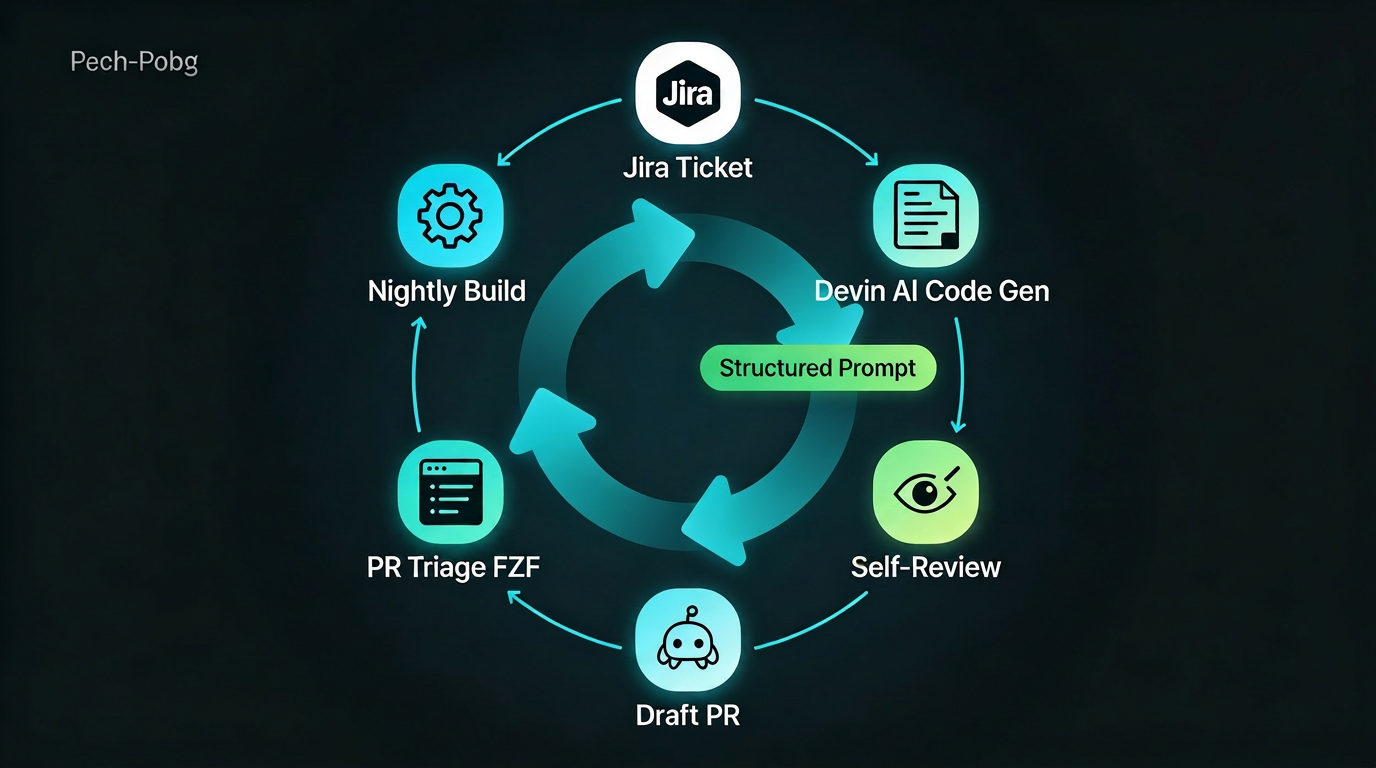
That’s what I’m calling a meandering exercise in AI-assisted development: gradually discovering that the most powerful thing about Devin isn’t the model, or the speed, or the tokens—it’s the way you can design prompts that shape entire workflows.
In the next post, I’ll dive into the concrete system I’ve built for PR review: the dashboard, the nightly build-fix pipeline, and the self-review layer that’s already making a real difference in the quality and noise level of my PRs. But this one is the conceptual spine: structured prompts as the core idea that ties everything together.