wt_jira: When the Workflow Became the Product
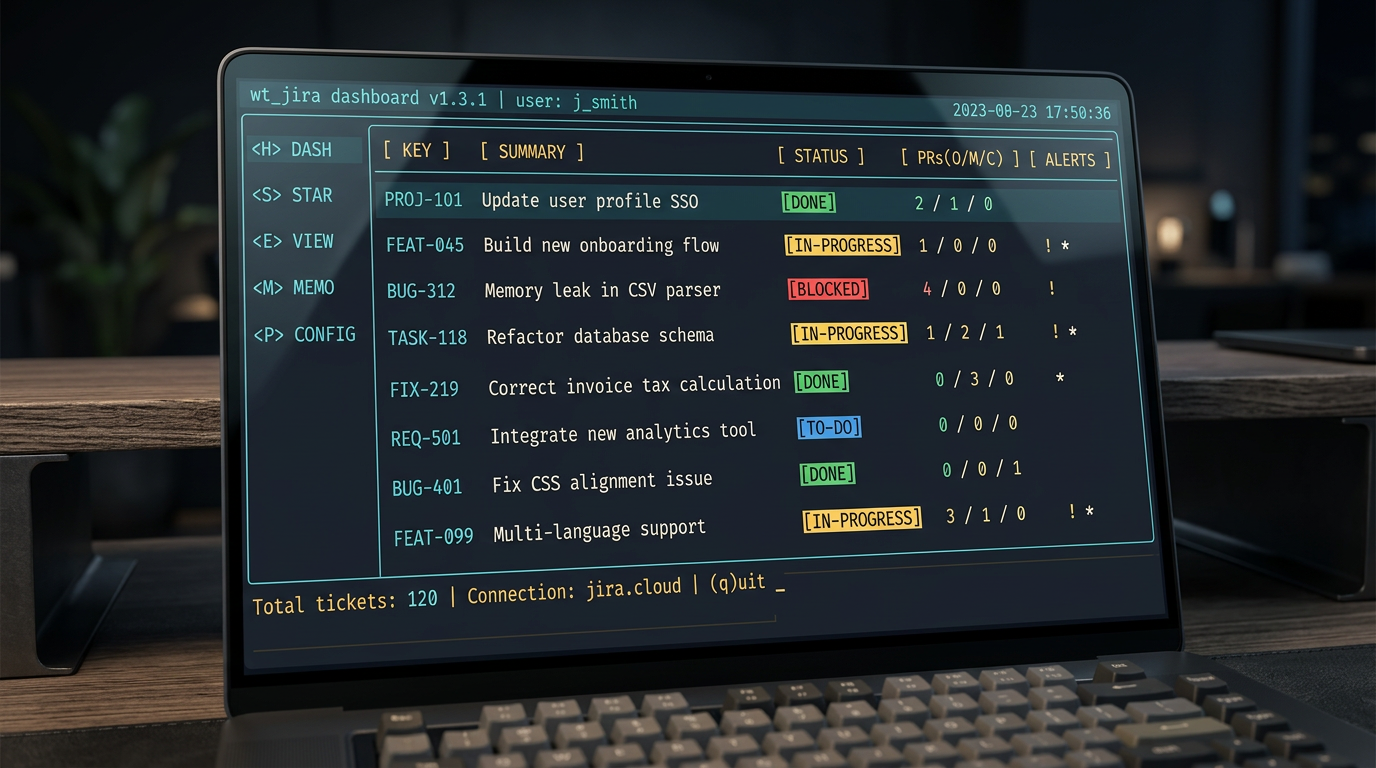
I set out to run parallel AI sessions cleanly. I ended up building the dashboard I never knew I needed. Here’s what happened in between.
The mtime Detour
The first thing that bit me wasn’t the workflow — it was the checkout.
When you run git worktree add, Git stamps every file with the current
time. That sounds harmless. It isn’t. Build tools that rely on mtime
to decide what needs rebuilding — Make being the obvious offender — look
at a freshly checked-out worktree and conclude that everything is stale.
Tools appear to be missing. Dependencies look unresolved. I spent real
time chasing what looked like genuine environment bugs before I realised
the timestamps were just lying about file freshness.
The fix, once you know what you’re looking at, is straightforward: touch the relevant marker files after checkout, or configure your build system to use content hashing instead of timestamps. But “looks like the tools aren’t there” is a convincing enough symptom that you’ll probably chase it down the wrong path at least once. Now you don’t have to.
Getting Carried Away
Once the worktrees were running cleanly, I started poking at what the Jira and GitHub APIs could actually do when scripted together from the shell. The answer is: quite a lot, and more than is responsible if you have a sprint to deliver.
I didn’t plan to build a dashboard. I was going to write a small helper that listed my open tickets. Then I thought the unassigned column would save me a browser tab. Then PR state per ticket seemed obvious. Then fzf made the whole thing navigable and suddenly an hour had passed and I hadn’t written any production code.
This is, I think, the honest experience of AI-assisted development at speed — the feedback loop gets fast enough that you stop dreading the work and start following your curiosity. That’s a genuinely great property. It’s also dangerous when you have deadlines.
What Got Built: wt_jira
The thing I got carried away building is what I now open every morning.
wt_jira is a terminal dashboard built with Devin, run as a standalone
tool from the bash shell. It talks directly to the Jira REST API via
curl and to GitHub via the gh CLI — no IDE, no MCP, just shell
tooling that runs anywhere. Everything is presented through an fzf
interface. Each row is a ticket. The columns are:
!— marks unassigned tickets. No!means it is already yours.*— marks tickets with a local worktree checked out. Assignment to you happens automatically when you push, not before — so you can have a*alongside a!while the work is still in progress.- Key — the Jira ticket identifier
- Type and State — Story/Bug/Task/Spike alongside the current Jira workflow state
- D/R/A — pull requests as three slash-separated numbers:
1/0/0means one draft PR, nothing ready for review, nothing approved.0/1/0means you are waiting on review.0/0/1means it is approved and waiting to merge. The ticket’s entire PR story in six characters. - Time — how long you have spent on it (more on this in the next post)
- Title — the full ticket title, truncated to fit
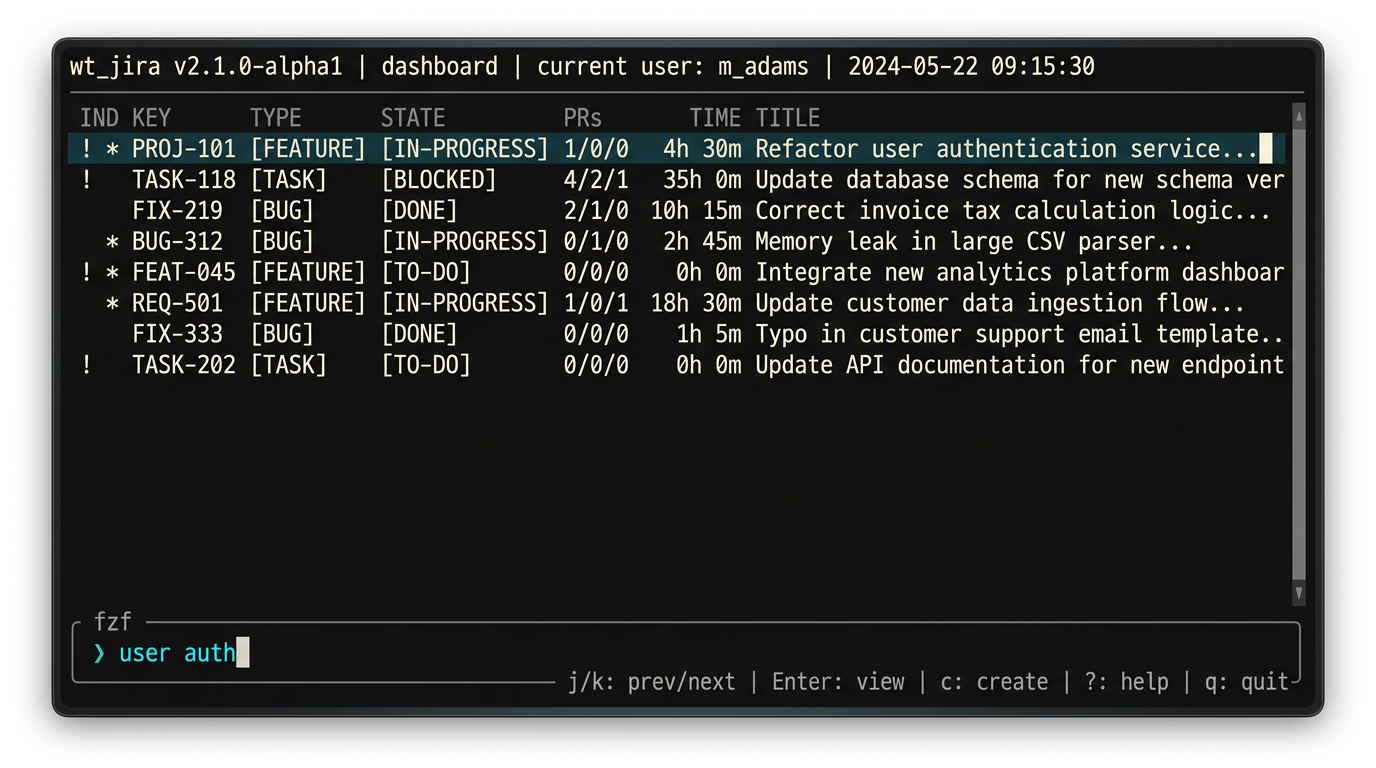
The web UIs are fine in isolation. The problem is the switching. Every
time you leave the terminal to check Jira or GitHub, you break the mental
context you were holding. wt_jira keeps everything — ticket state, PR
state, worktree presence, and time spent — on one line, in one place,
without a browser tab in sight.
Keyboard navigation is what makes it feel like a real tool rather than a
script. Arrow keys to move, enter to jump directly into that ticket’s
worktree. If there is no * yet, wt_jira creates the worktree on the
spot before opening it. Your entire work queue, navigable in seconds,
without touching a browser.
fzf is a dependency, but it was the right tool for this environment —
fast, keyboard-native, and a great fit for the workflow. If it is not
available in some other environment, any interactive selector could fill
the same role. It just worked well for me.
I am not planning to open-source wt_jira. The providers are clearly
moving toward better native worktree support already, and the tool was
built on company time anyway. Still, the underlying idea is simple:
keep all the signals in one place and make entering a worktree nearly
frictionless.
The Shape of the Workflow Now
The worktree model from the last post hasn’t changed — one ticket, one
branch, one worktree, one agent session. What has changed is the entry
point. Instead of opening Jira, finding the ticket, copying the key,
running the shell command, and opening Windsurf, I run wt_jira, scroll
to what I want, and press enter.
Give your agents their own space. Then make getting to that space effortless.
Following up on Git Worktrees: The Missing Piece for Multi-Ticket AI-Assisted Development.
This post was drafted with the assistance of Perplexity AI, based on my own first-hand experience. All technical details, workflow decisions, and opinions are my own.